Windsurf Setup
Installing and setting up Flux in Windsurf
Please note
Local setup is more reliable right now and we recommend using it. Also, try reloading Cursor or refreshing the MCP server if you get any errors.
Local Setup
For users who want everything to be present locally, no remote servers involved
- Make sure you have latest stable version of NODE.js installed - Node.js download
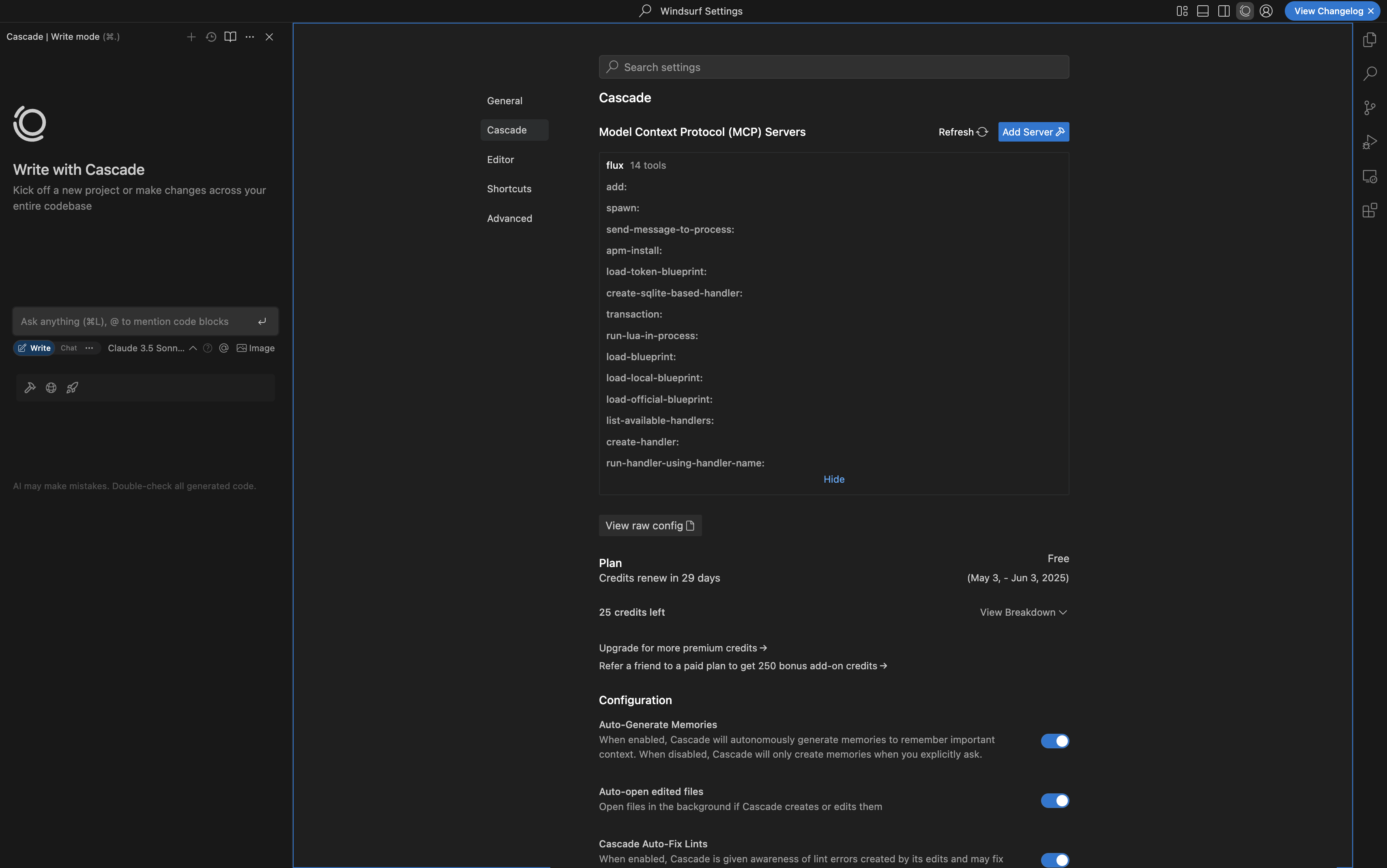
- Open Winsurf and go to Settings > Windsurf Settings > Cascade > Click on Add Server under MCP section > Click on Add Custom Server
- Paste this code in the file
- if you did everything correctly you will be able to see the flux MCP loaded with all the tools, and its ready to be used in Windsurf!
Remote Setup
For users who want to use Flux without installing anything locally
- Open Winsurf and go to Settings > Windsurf Settings > Cascade > Click on Add Server under MCP section > Click on Add Custom Server
- Paste this code in the file
- if you did everything correctly you will be able to see the flux MCP loaded with all the tools, and its ready to be used in Windsurf!